Open Realtime
Open Source Real-Time CommunicationOur Community
Ignite Realtime is an Open Source community composed of end-users, developers and service providers around the world who are interested in applying innovative, open-standards-based Real Time Collaboration to their businesses. We're aimed at disrupting proprietary, non-open standards-based systems and invite you to participate in what's already one of the biggest and most active Open Source communities anywhere.
Turn-key IM Solutions
Our client and server products allow you set up a cross-platform, real-time collaboration server optimized for business and organizations in moments!
Highly customizable through plugins and configuration, our clients and servers easily integrate in your pre-existing ICT infrastructure.
Development Platform
Our server product and libraries are exceptionally well suited as a development platform for your custom instant messaging or data sharing solution!
The software that we produce is based on well established open standards, has extensive extension APIs and come with a great deal of pre-existing functionality - ideal to form the basis of your project!
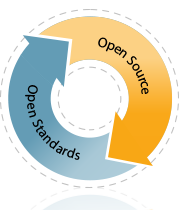
Open Source Philosophy
We create Open Source software because we know open, collaborative minds can improve the software landscape. We believe in the potential of the XMPP protocol and we welcome ways to increase its adoption. We put tremendous value on the involvement of Igniterealtime's developer and user community--their continuous feedback, QA, and development efforts help steer our development path.
We are committed to live out the values of the Open Source movement to the best of our abilities, to act responsibly and in the best interests of our community and to be highly responsive to the needs of the community and communicate proactively.
The XMPP Protocol
XMPP (formerly Jabber) is the leading open standard for presence and real-time messaging. Since 2004, it's been an approved standard of the IETF (the same organization that standardized email and World Wide Web protocols). A rich set of extensions to the protocol are maintained by the XMPP Standards Foundation. Today, XMPP is used by leading companies, millions of users worldwide and is the best choice for open real-time collaboration.
Open standards are critical in order to achieve a completely federated environment where real time collaboration software works seamlessly together. This will drive the medium forward as a unified productivity tool and provide the greatest benefit to end users. The hundreds of interoperable software products that use XMPP prove the reality of this vision.
Ignite Realtime furthers XMPP through best of breed protocol implementations, development of new protocol extensions, and participation to the XMPP Standards Foundation (XSF).
 ashfik in "
 Artur27 in "
 dkadm in "